All guides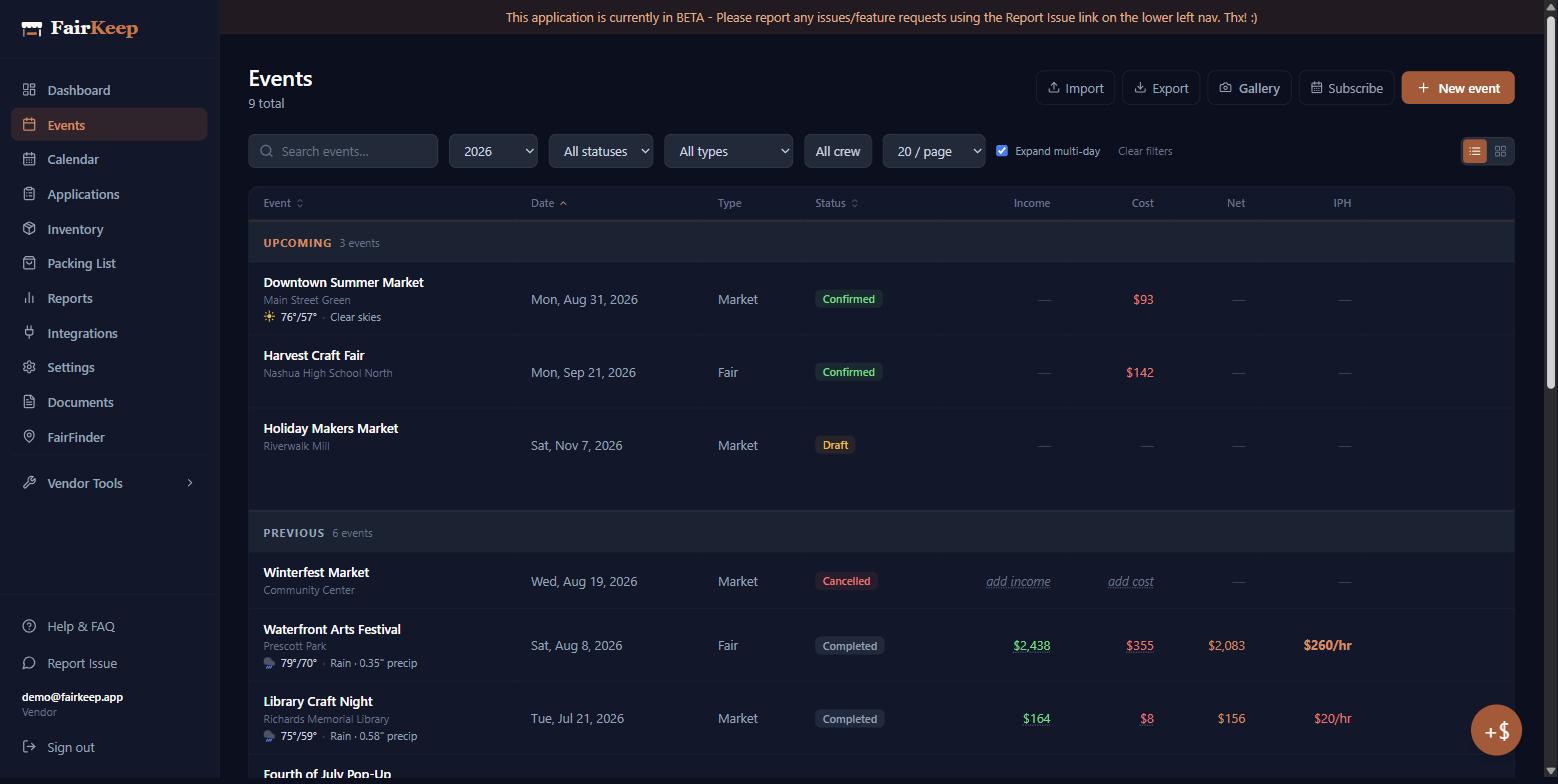
Events & Tracking
Filter and search your events
Quickly find any past or upcoming show using FairKeep's search bar, year filter, and status filters on the Events list.
- 1Go to Dashboard → Events.
- 2Use the search bar at the top to filter by event name or location — results update as you type.
- 3Use the Year dropdown to narrow results to a specific calendar year.
- 4Open the Status filter and tick as many statuses as you want — for example Accepted and Confirmed together. Choose Clear to go back to all statuses.
- 5Combine filters — for example, pick 2024 and tick Completed to review all shows from last season.
- 6Click any event row to open its detail page.
Related guides
Track your first event
Learn how to log an event in FairKeep — from entering the show details before the event to filling in income and expenses afterwards.
Delete or archive an event
Remove a cancelled show or tuck away old events you no longer need on your active dashboard without losing the historical data.