All guides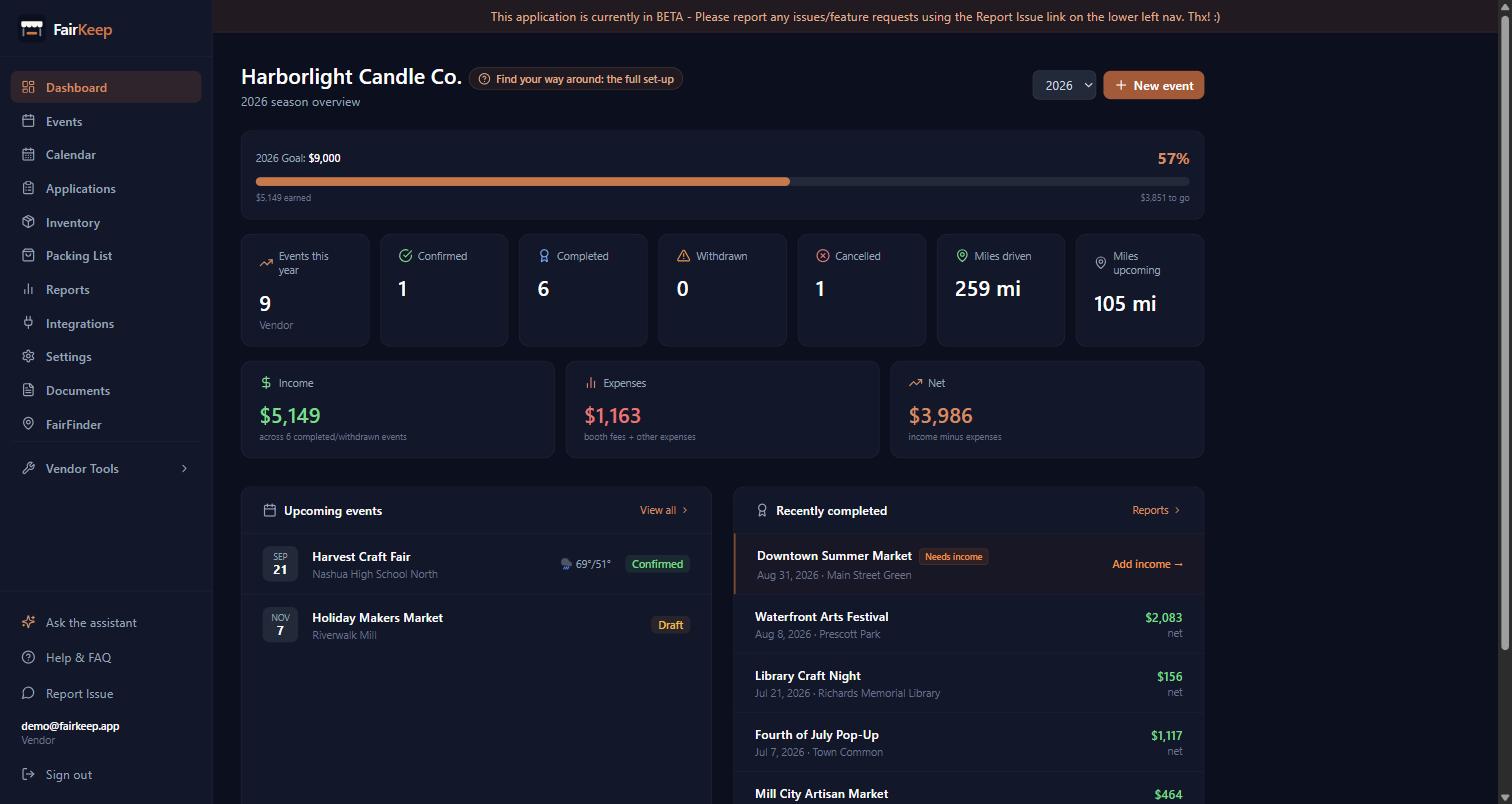
Getting Started
Find your way around FairKeep
A tour of the simple set-up — Dashboard, Events, Calendar and Reports — what each one is for and the order to use them in.
- 1You are on the simple set-up: four things in the sidebar, which is deliberately most of what a vendor needs. When you want more, Settings → Features has an Advanced switch that turns the rest on.
- 2DASHBOARD is the landing page. Your season in numbers — events this year, how many are confirmed and completed, miles driven, income, expenses and net — then your upcoming events with the weather forecast, and the shows you most recently finished with what each one made.
- 3EVENTS is where the real work happens. One row per show. Add one with New event, fill in the date, venue and booth fee before you go, and the income and expenses afterwards. Filter and search across the season, or switch to the year calendar underneath. You can import and export the whole list as CSV.
- 4Opening an event gives you the full form: times, the shape of the day, mileage, income, expenses, photos and notes. From there you can also Duplicate it, Repeat it across a run of future dates, or Save it as a template.
- 5CALENDAR is the same events laid out by month, week or day. Solid means committed, a dashed outline means tentative, muted and struck through means it is not happening. Click any event to open it.
- 6REPORTS is what the numbers are for. Nine tabs, each answering a different question — Analytics for the shape of your year, Tax for your accountant, Mileage for the deduction, Booth Fees for which shows were worth it. Each tab explains what it counts, right under the tab bar.
- 7SETTINGS holds your business profile, your home address (which is what makes mileage work), your usual setup and breakdown times, reminders, and the Features switch.
- 8Down the bottom of the sidebar: Ask the assistant answers questions about your own events in plain English, Help & FAQ has every guide, and Report Issue reaches us.
- 9The small labelled "?" next to a heading opens the guide for whatever you are looking at. There is one on most pages.
- 10A reasonable first week: fill in Settings → Business, add your next show under Events, and after it happens come back and enter what you took and what it cost. That is enough for Reports to start being useful.
Related guides
Find your way around: the full set-up
A tour of everything FairKeep can do once all the features are switched on — and which of them you actually need.
Set up your business profile
Configure your business name, home address, mileage rate, and social details so FairKeep can auto-calculate deductions and personalize your reports.
Track your first event
Learn how to log an event in FairKeep — from entering the show details before the event to filling in income and expenses afterwards.