All guides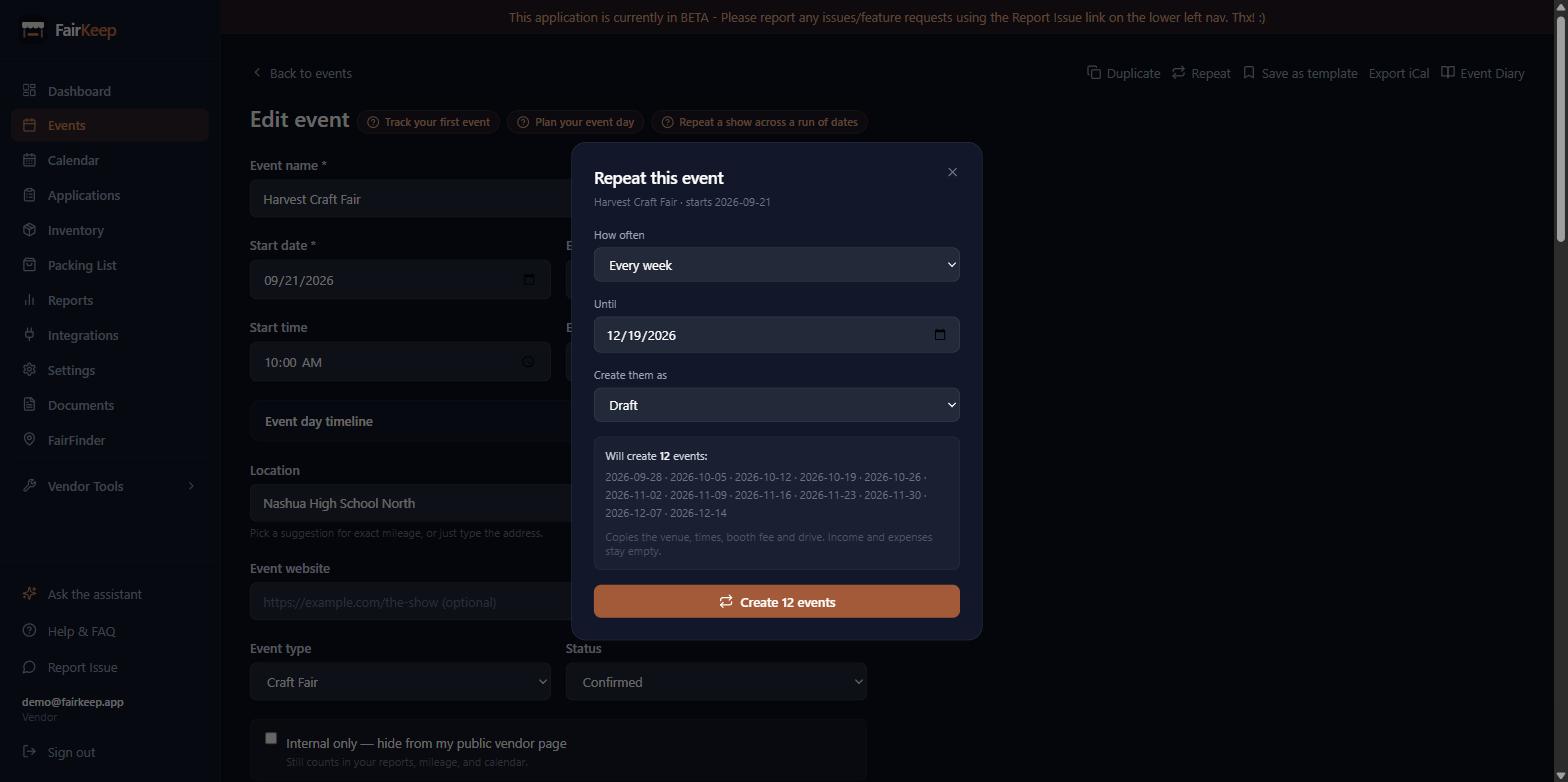
Events & Tracking
Repeat a show across a run of dates
Create the whole run at once — every other Saturday until November — instead of duplicating the same event a dozen times.
- 1Open the event you want to repeat and click Repeat in the top right.
- 2Choose how often it runs — every week, every 2 weeks, every month, or every year.
- 3Pick the date the run ends. The exact dates that will be created are listed before you commit.
- 4Choose whether the new events start as Draft, Applied or Confirmed. Draft is the default, so a run you are still planning does not look booked.
- 5Click Create — each date becomes its own event, copying the venue, times, booth fee and drive from the original.
- 6Income and expenses are deliberately left empty: those belong to the day that already happened, not to the ones ahead.
- 7Repeating the same run twice is safe — dates that already have that event are skipped and reported, never duplicated.
- 8A single run creates at most 52 events. For a longer stretch, repeat again from the last one.
Related guides
Save an event as a template
Store a show's setup under a name — venue, times, booth fee, drive — and start next year's event from it in one click.
Track your first event
Learn how to log an event in FairKeep — from entering the show details before the event to filling in income and expenses afterwards.
Use sticky notes for recurring events
Write shared instructions once and have them appear automatically on every event in the same series — visible to you and your crew.