All guides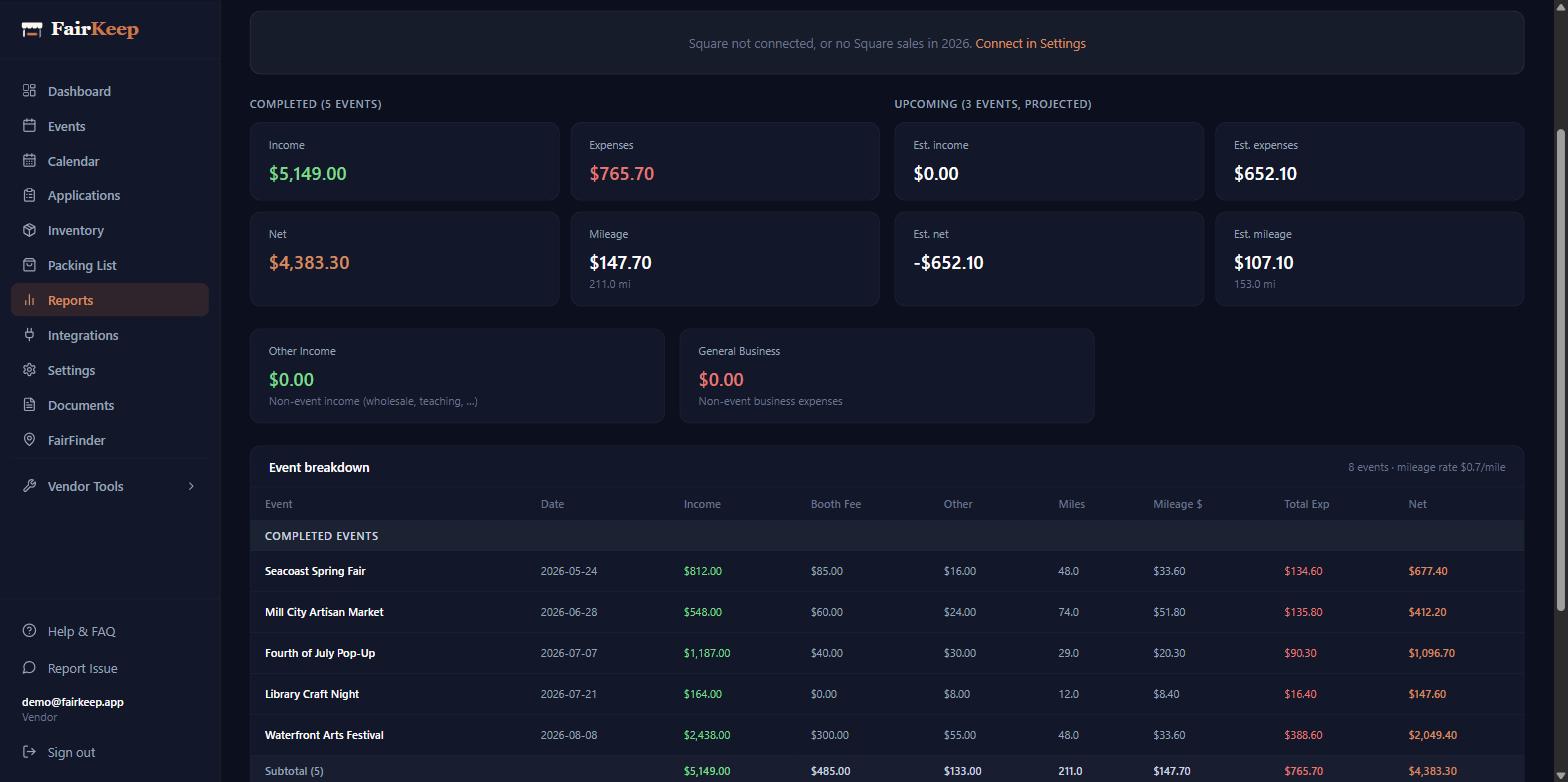
Reports & Taxes
Run a tax report
Generate a complete year-end tax summary — income, expenses, and mileage deductions — and export it as a CSV to hand to your accountant.
- 1Go to Dashboard → Reports.
- 2Select the year you want.
- 3The Tax Summary tab shows all income, expenses, and mileage for that year.
- 4Income by state breaks your completed shows down by the state they were in: total income, taxable sales, sales tax collected, sales tax owed and the difference. A show needs "City, ST" at the end of its location to be placed in a state. Tax collected comes from your Shopify or Square register when the show syncs, or type it into the show's Sales tax collected field.
- 5Click Export CSV to download a spreadsheet you can hand to your accountant. The by-state table is at the bottom.
Related guides
Track your mileage
Log round-trip miles for each show and let FairKeep automatically calculate your IRS mileage deduction — no spreadsheets required.
Understand the analytics dashboard
Walk through every section of the Analytics dashboard — year-over-year comparisons, quarterly revenue charts, top events, and expense breakdowns.