All guides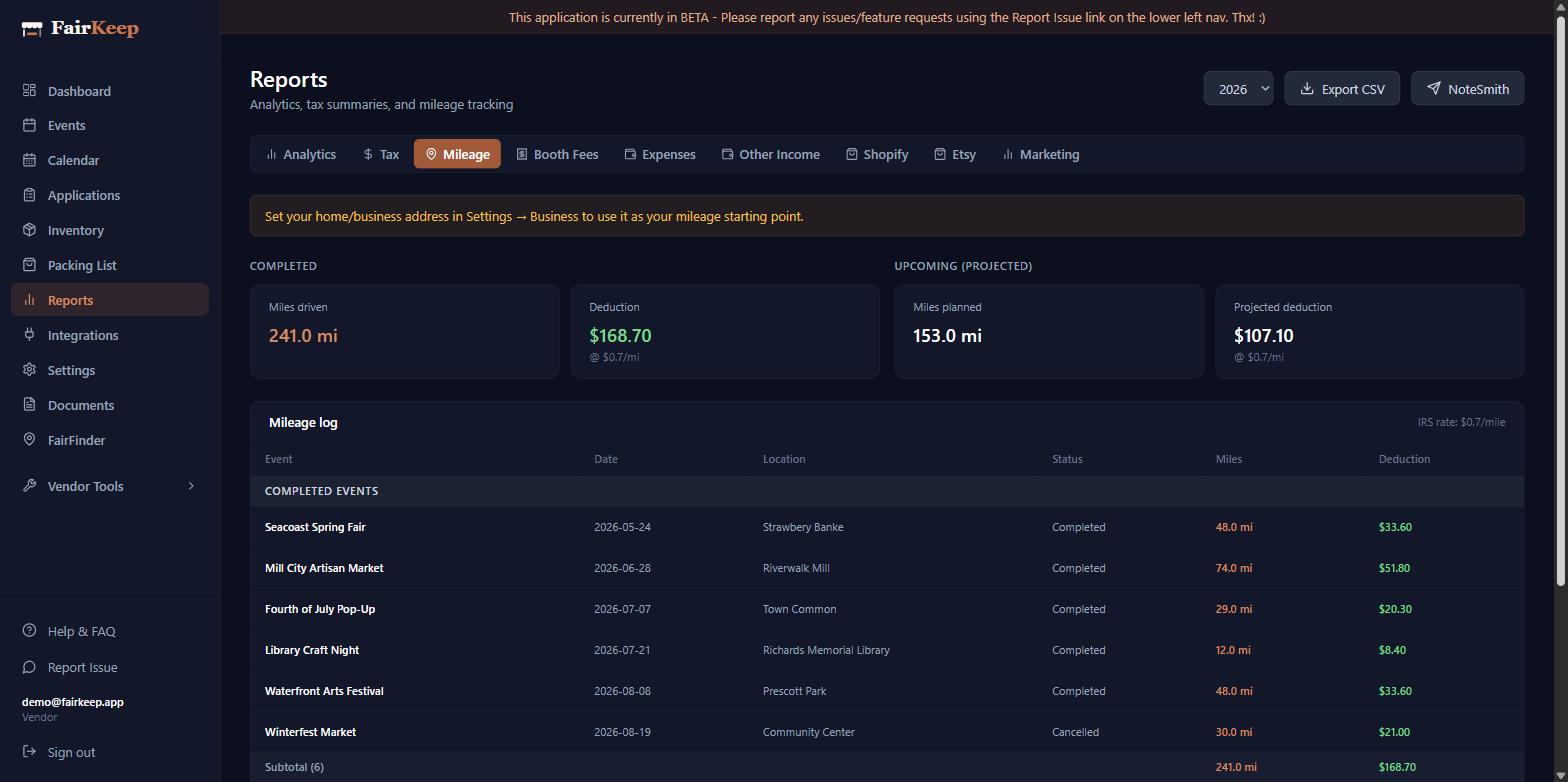
Events & Tracking
Track your mileage
Log round-trip miles for each show and let FairKeep automatically calculate your IRS mileage deduction — no spreadsheets required.
- 1Go to Settings → Business and enter your home or business address.
- 2Give each event a location. If you leave Drive miles blank, FairKeep works out the round-trip driving distance from your address and fills it in.
- 3To use your own figure instead, type the round-trip miles into Drive miles on the event.
- 4FairKeep uses the current IRS standard mileage rate to calculate your deduction.
- 5View your full mileage log under Reports → Mileage.
Related guides
Run a tax report
Generate a complete year-end tax summary — income, expenses, and mileage deductions — and export it as a CSV to hand to your accountant.
Set up your business profile
Configure your business name, home address, mileage rate, and social details so FairKeep can auto-calculate deductions and personalize your reports.