All guides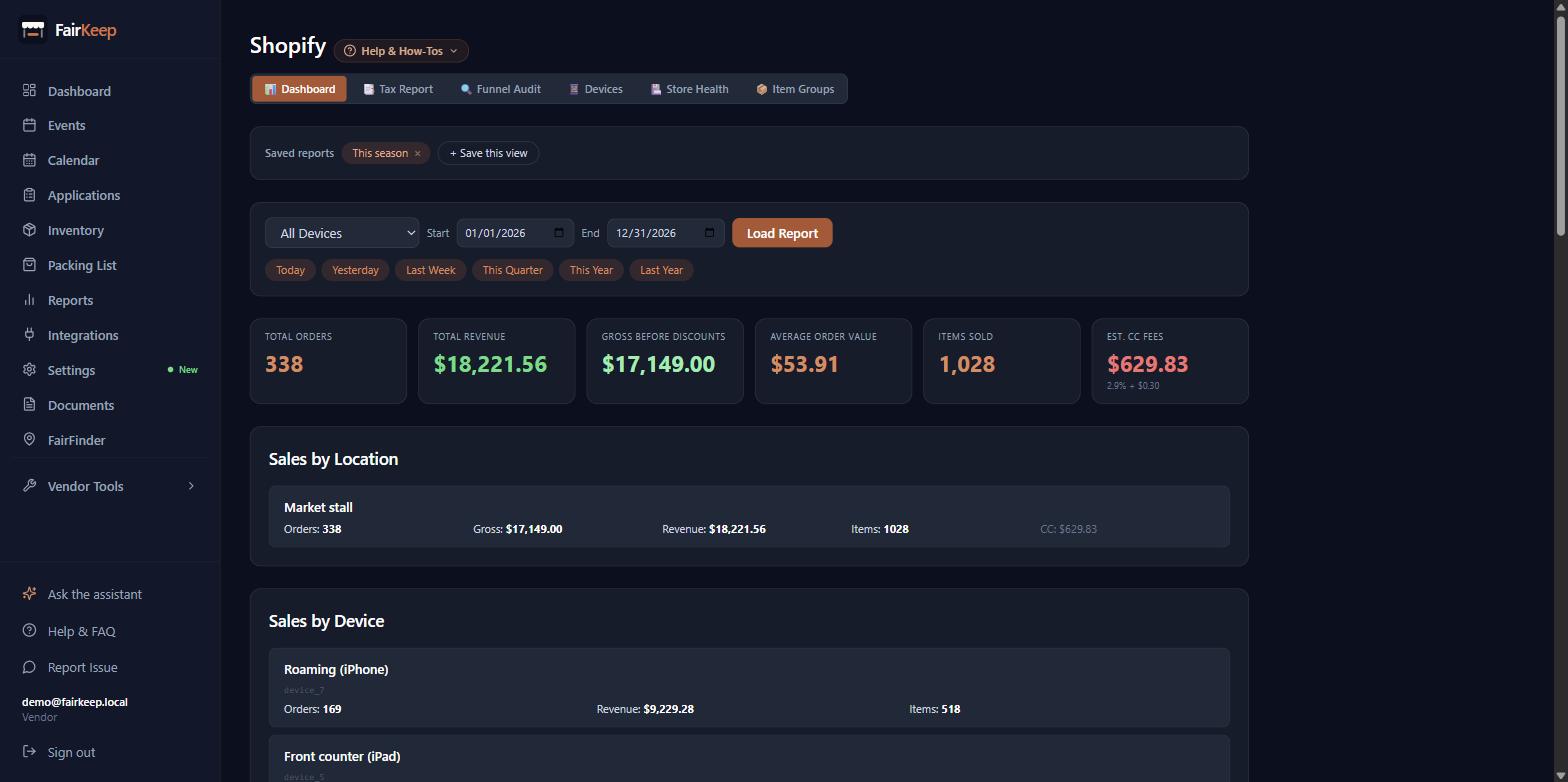
Tools & Integrations
Save a Shopify report, and link it to a show
Name a set of dashboard filters so it is one click away — and pin it to a multi-day show so the whole run pulls as one set of stats.
- 1Go to Dashboard → Shopify → Dashboard tab.
- 2Set the filters you want: the dates, the location, and the register.
- 3Click "+ Save this view", give it a name, and click Save.
- 4It becomes a chip at the top of the page. Click the chip any time to come back to exactly that view; click the × to delete it.
- 5TO LINK IT TO A SHOW, pick the show from the "Date range only" dropdown before saving. A multi-day show is stored as one event per day, so The Big E is 17 rows — linking pulls all 17 as one report instead of you typing the span by hand.
- 6A linked report follows the show. Add an eighteenth day later and the report widens on its own; you do not re-save it.
- 7It also follows the registers: every POS device attached to any day of that run is included, so a register you added halfway through is still counted.
- 8The link is to that YEAR of that show. Next year you save a new one, and this year's report still opens with this year's numbers.
- 9Each saved report has its own address — copy the URL from your browser to send a teammate straight to it. They will need to sign in to your account to see it.
- 10Click "Email it to me now" to get the current figures in your inbox, or set "Send automatically" to every Monday or the 1st of the month.
- 11A scheduled send that fails says so on the report itself, so a report that quietly stopped arriving does not go unnoticed.
- 12A linked report counts every order on those dates from those registers. If one register covered two different shows on the same day, this can read higher than that event's own POS figure, which splits the day by the hour.
Related guides
Track Shopify POS revenue per event
Name your Shopify POS devices, link them to events, and see exactly which register earned what at each market.
Sync gross revenue from Shopify into an event
Pull Shopify POS gross revenue directly into an event's income field with one click — no manual entry needed.
Connect integrations
Link FairKeep to Shopify, Square, Etsy, or QuickBooks so your event and sales data stays in sync automatically.