All guides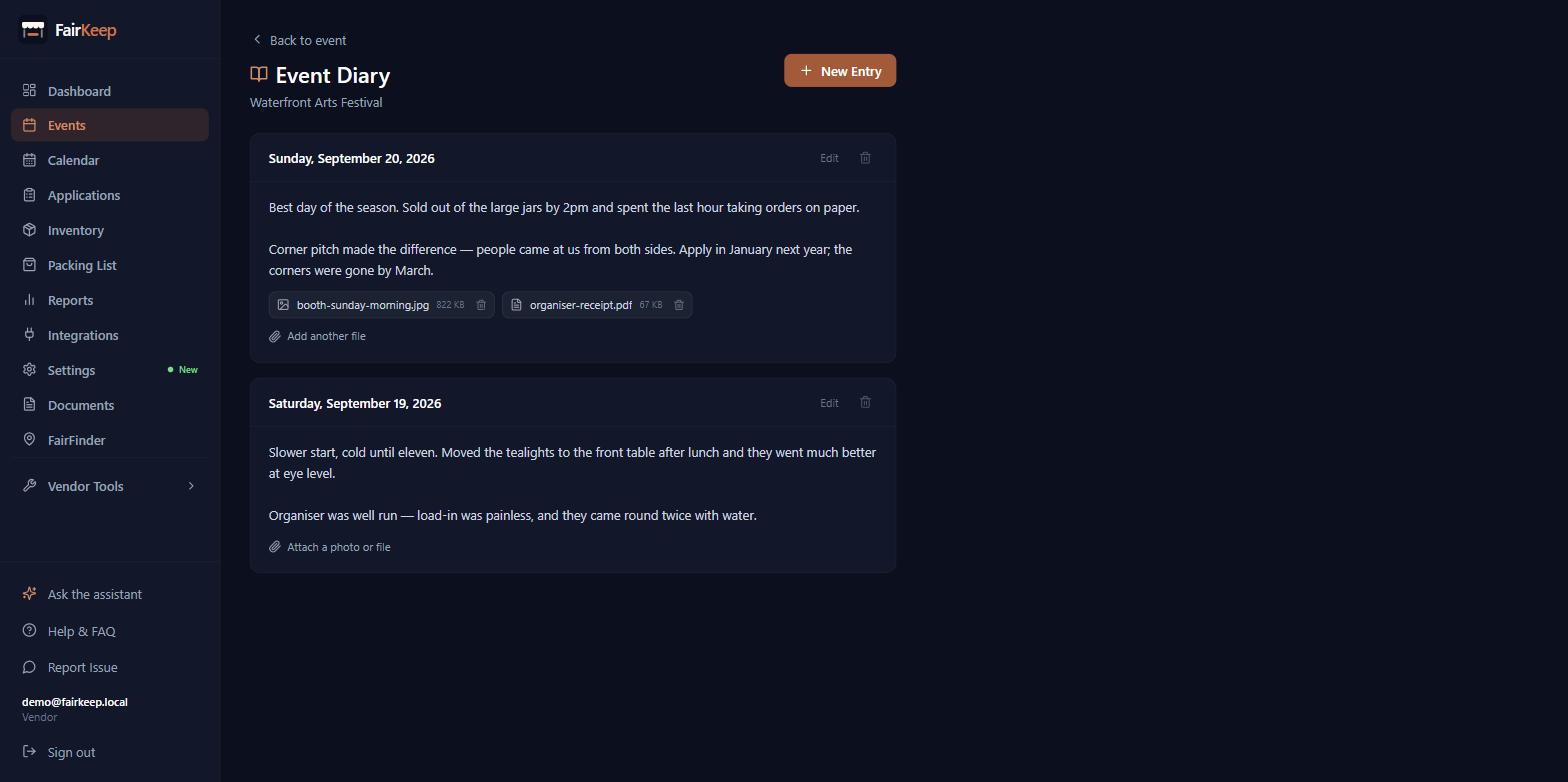
Events & Tracking
Keep a diary for a show
Write down how a market actually went — the weather, the pitch, what sold — so next year you are deciding from notes instead of memory.
- 1Open the event and click "Event Diary" at the top of the page. It is included on the Maker and Vendor plans.
- 2Click New Entry, pick the date (it defaults to today) and write. Save entry when you are done.
- 3THE DIARY BELONGS TO THE SHOW, NOT THE DAY. Entries are filed under the event NAME, so every day of a 17-day run shares one diary — and so does next year’s. Open The Big E from any of its days and you see the whole history, oldest show and all.
- 4That is the point of it: when the renewal form arrives, you are reading what you thought last year rather than trying to remember.
- 5Entries are listed newest first with the date they describe, which is not necessarily the day you typed them — write Sunday up on Monday and date it Sunday.
- 6Hover an entry to edit or delete it. Editing changes the text only; the date stays as filed.
- 7Attach photos and receipts to any entry — see "Attach photos and files to a journal entry".
- 8Worth recording while it is fresh: the weather, where your pitch was and whether it was a good one, what sold and what did not move, how busy it was and when, what the organiser was like, and whether you would do it again.
- 9IF YOU USE NOTESMITH, each entry has a Push button that copies it across as a note, and you can choose which folder they land in from the picker at the top. FairKeep remembers the folder per account.
- 10Pushing sends the written entry only. Attachments stay in FairKeep.
- 11Pushing the same entry again updates the note it made before rather than creating a second one.
Related guides
Attach photos and files to a journal entry
Keep the booth photo, the receipt and the signed form with the day you wrote about, instead of in a separate folder.
Track your first event
Learn how to log an event in FairKeep — from entering the show details before the event to filling in income and expenses afterwards.
Plan your event day
Set your normal setup and breakdown times once, override them on the shows that need it, and see your whole day — leave, arrive, set up, sell, pack down — on the calendar.